
Managing IPv6

There is a section in the Virtualizor End User Panel to manage your IPv6 addresses.

Gateway for IPv6 is 2001:550:5a00::1

Normally the IPv6 gateway is already set up for you. 

You are already given an IPv6 address by default that ends in a 1.
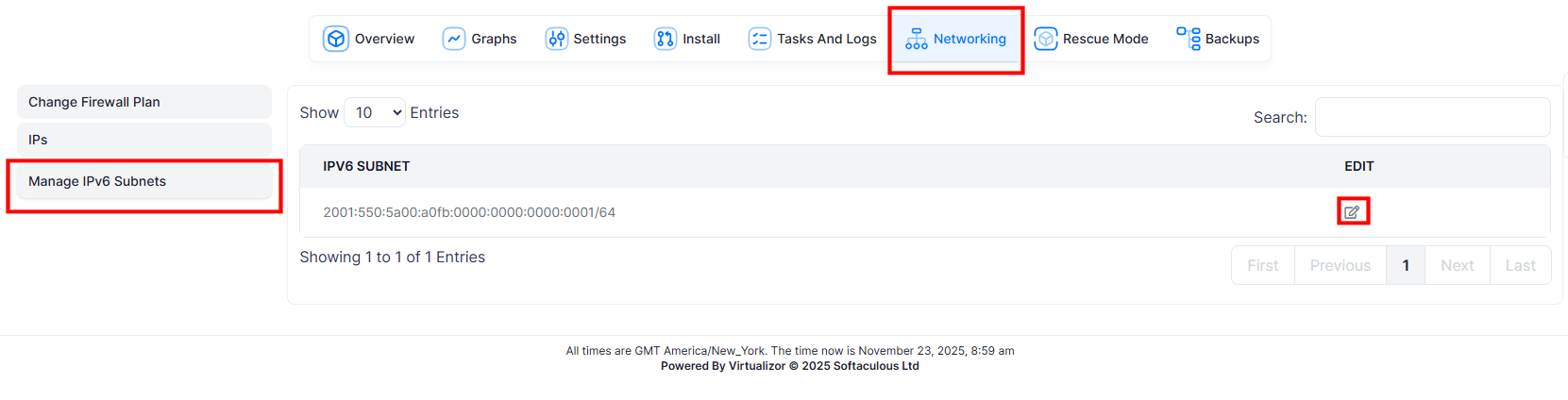
 

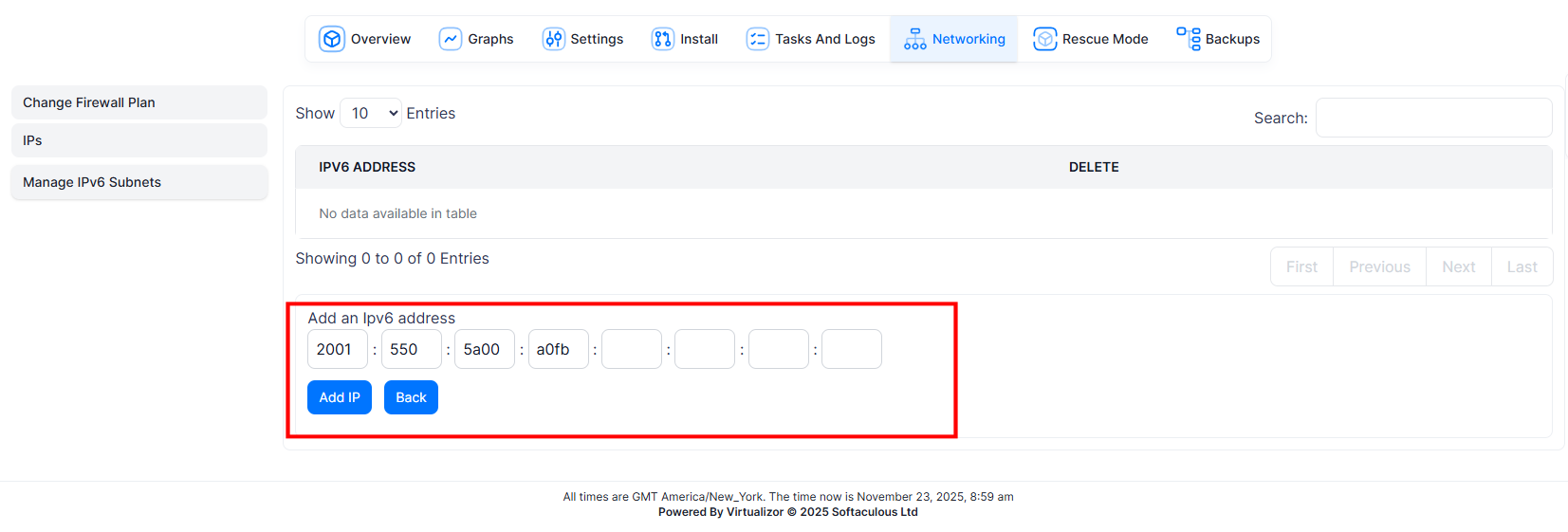
If you want more than just the one IPv6 address you can click the edit button and add more.


  • 0 Users Found This Useful
Was this answer helpful?

Related Articles

VNC

VNC lets you view and control your VPS directly — keyboard, mouse, and monitor — independent of...

Changing Your Root Password

  To Change Root Password of your VPS, go to VPS Management Page, click on...

How to use an ISO in Virtualizor

Enduser ISO Overview This guide shows you how to use Enduser ISO in...